
What Are MATLAB® and Simulink®? A Practical Guide for Engineering, Simulation, and Testing
In modern engineering and product development, simulation and modeling are no longer optional—they are essential. Two of the most widely used tools in this space are MATLAB® and Simulink®, powerful platforms that help engineers design, simulate, test, and validate complex systems long before hardware is built.
At A&D Technology, we work closely with customers who use MATLAB and Simulink every day. Our ADX simulation platforms and Hardware‑in‑the‑Loop (HILS) systems frequently rely on models built in these environments to bring virtual designs into real‑world test cells.
This article explains what MATLAB and Simulink are, how they’re used, why they matter, and how A&D Technology fits into the ecosystem—without requiring a technical background.
Who Created MATLAB and Simulink?
MATLAB and Simulink are developed by MathWorks, a U.S.-based software company founded in 1984. MathWorks focuses exclusively on software for mathematical computing, modeling, simulation, and algorithm development.
Today, MATLAB and Simulink are used by:
- Automotive and aerospace OEMs
- Tier 1 suppliers
- Universities and research labs
- Energy, robotics, and industrial automation companies
What Is MATLAB?
MATLAB (short for “Matrix Laboratory”) is a high-level programming and numerical computing environment.
In simple terms:
MATLAB helps engineers analyze data, perform calculations, create algorithms, and visualize results—all in one platform.
What MATLAB Is Commonly Used For
- Data analysis and signal processing
- Control system design
- Algorithm development
- Test data post-processing
- Model development support
MATLAB is text-based, meaning users write code, but it’s designed to be much easier to read and learn than traditional programming languages.
MATLAB Example: Real‑World Use Case
Engine Performance Analysis
An engineer runs an engine test on a dynamometer and collects thousands of data points—speed, torque, fuel flow, temperatures, and emissions.
Using MATLAB, they can:
- Import raw test data
- Automatically clean and filter noise
- Calculate efficiency and performance metrics
- Generate plots and reports for stakeholders
This same MATLAB analysis can later be reused across multiple test programs, saving time and improving consistency.
What Is Simulink?
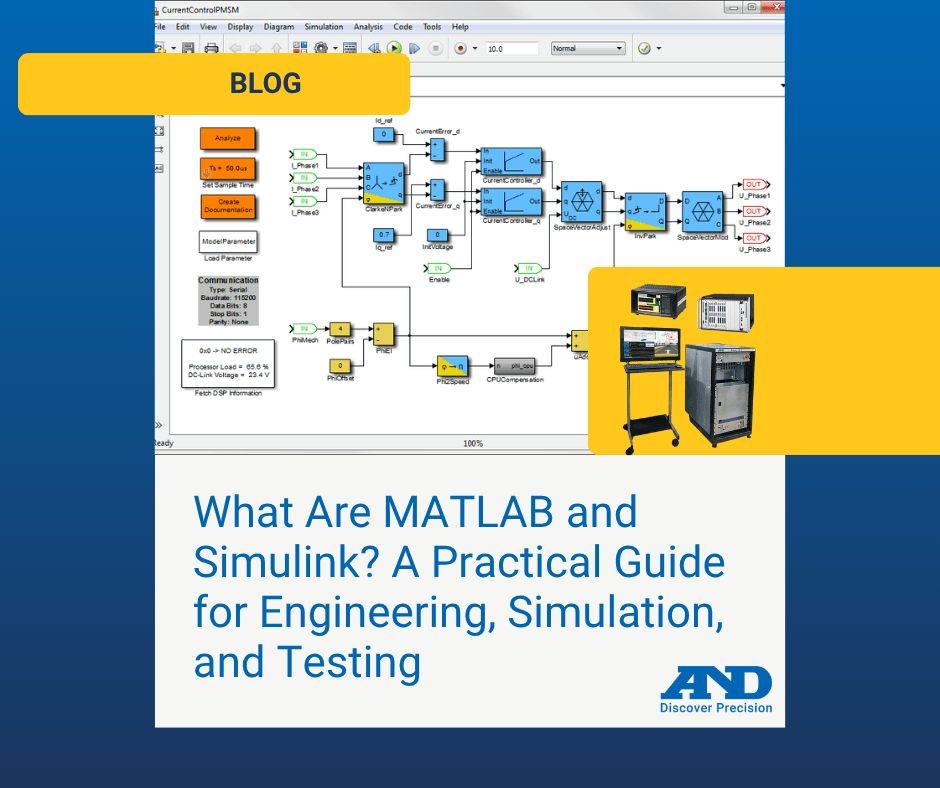
Simulink is a graphical modeling and simulation environment that works with MATLAB.
In simple terms:
Simulink lets engineers build block‑diagram models of systems instead of writing code line by line.
You connect blocks representing:
- Physical components
- Control logic
- Sensors and actuators
- Mathematical functions
Simulink is especially popular for dynamic systems—systems that change over time.
What Simulink Is Commonly Used For
- Control system development
- Vehicle, powertrain, and battery modeling
- Embedded software design
- Model‑based design workflows
- Real‑time simulation and HIL testing
Simulink Example: Real‑World Use Case
Electric Motor Control Development
An engineer designs a motor controller for an electric vehicle.
Using Simulink, they:
- Model the motor, inverter, and controller logic
- Simulate real driving conditions
- Tune control parameters virtually
- Validate behavior before hardware exists
That same Simulink model can later be deployed to real‑time simulation hardware for testing in a HIL environment.
MATLAB vs. Simulink: What’s the Difference?
| MATLAB | Simulink |
|---|---|
| Text‑based programming | Graphical block diagrams |
| Best for data and algorithms | Best for dynamic system modeling |
| Strong in analysis & visualization | Strong in simulation & control |
| Often used post‑test | Often used pre‑test and during development |
Most engineering teams use both together.
Top 10 Common Questions About MATLAB and Simulink
1. Are MATLAB and Simulink the same thing?
2. Do I need programming experience to use MATLAB?
3. Is Simulink only for control engineers?
4. Can MATLAB and Simulink work with real hardware?
5. Are they used in automotive and EV development?
6. Can models be reused for testing and validation?
7. Are MATLAB and Simulink used in universities?
8. Can Simulink models run in real time?
9. How do these tools support HIL testing?
10. How do MATLAB and Simulink integrate with test systems?
Where and How Do People Learn MATLAB and Simulink?
People typically learn these platforms through:
- University engineering programs
- On‑the‑job training at OEMs and suppliers
- Online MathWorks courses and documentation
- Hands‑on testing and simulation projects
Because they are widely adopted, MATLAB and Simulink skills are highly transferable across industries.
Why MATLAB and Simulink Matter in Test and Validation
As systems become more complex—especially with electrification, automation, and advanced controls—simulation becomes critical.
MATLAB and Simulink enable:
- Faster development cycles
- Early detection of design issues
- Reduced physical prototype costs
- Better test coverage and repeatability
How A&D Technology Fits In
At A&D Technology, we help bridge the gap between virtual models and physical testing by inputting Matlab and Simulink models into our simulation platforms.
Our Simulation, HILS, Automation, and Lab Management Solutions
Why MATLAB and Simulink Matter to A&D Customers
Many customers:
- Develop system and control models in Simulink
- Validate algorithms in MATLAB
- Deploy those same models into real‑time simulation environments
- Connect them directly to engines, motors, batteries, and powertrains in the test cell
This model‑based workflow improves:
- Test realism
- Repeatability
- Development confidence
Bringing It All Together
MATLAB and Simulink are not just software tools—they are foundational platforms for modern engineering, simulation, and test.
When paired with A&D Technology’s real‑time simulation, HIL, lab management, and test automation solutions, they enable:
- Seamless model‑to‑test workflows
- Faster development timelines
- Better, more reliable products
To learn how A&D Technology supports MATLAB and Simulink‑based testing, contact us.